Tipping,
sorted.
Give each person a personal QR code, whether you're working solo or managing a team. Guests scan, tip the right person with Apple Pay, Google Pay, or card, and Tipsify keeps everything easy to manage.
See how it worksNo guest app · No hardware · Payments by Stripe
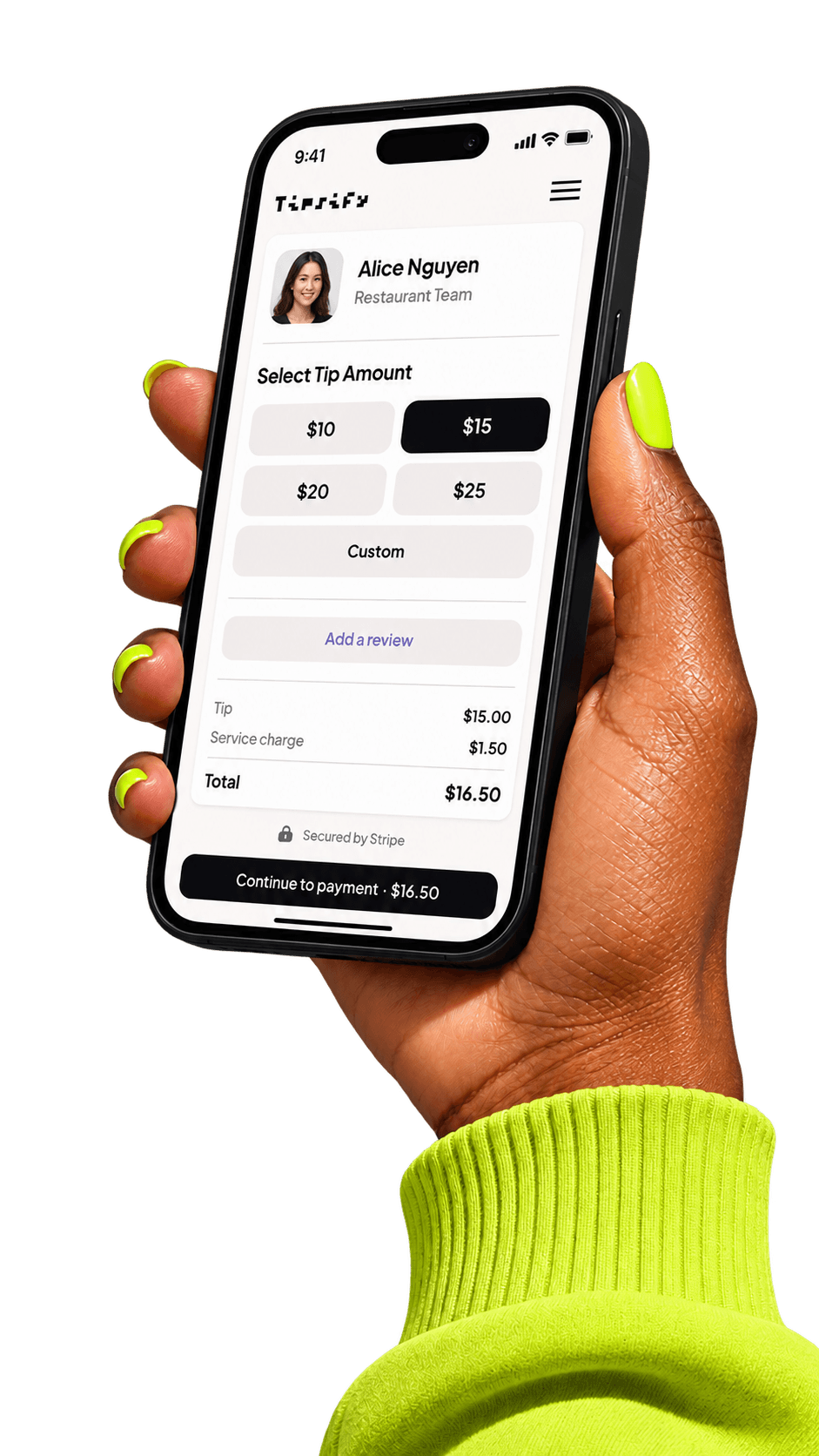
Start taking digital tips in three simple steps.
Set up your profile or team, print personal QR codes, and let Tipsify keep payments and payouts easy to follow.
Easy for guests. Simple to manage.
Make tipping feel effortless.
Guests scan, choose an amount, and pay with a wallet or card. No app, no account, no awkward cash moment.
Personal codes for the people doing the work.
Each person gets a named tip page and a QR code they can share wherever guests interact with them.

Keep the money side visible.
Tipsify uses Stripe Connect for payments and payouts, then gives you a clear view of tips, balances, and payout history.
- Team balances in one place
- Apple Pay, Google Pay, and card payments
- Payout history and transaction records
Simple answers before you try it.
Payments can feel heavy. Tipsify keeps the guest flow simple and uses Stripe for the payment side.
Start with one QR code today.
Free to start. Add teammates when you need them.